You found a script, pasted it in — and nothing happened. Usually it is the key, the build, or the script itself. This page walks through all three:
Delta scripts are Lua scripts that run inside Roblox through the Delta Executor app. They can automate grinding, teleport you around the map, flag rare items, or add menus the game never had. This page shows you how to run any script step by step, then walks through the delta scripts players look for most, game by game.
How to run a script in Delta, step by step
Before you start: you need Delta installed and a valid key. If you have neither, get the app from the download page first, then follow the key guide — scripts will not execute without an active key.
- Copy the script you want to run.
- Open Roblox and join the game the script was made for.
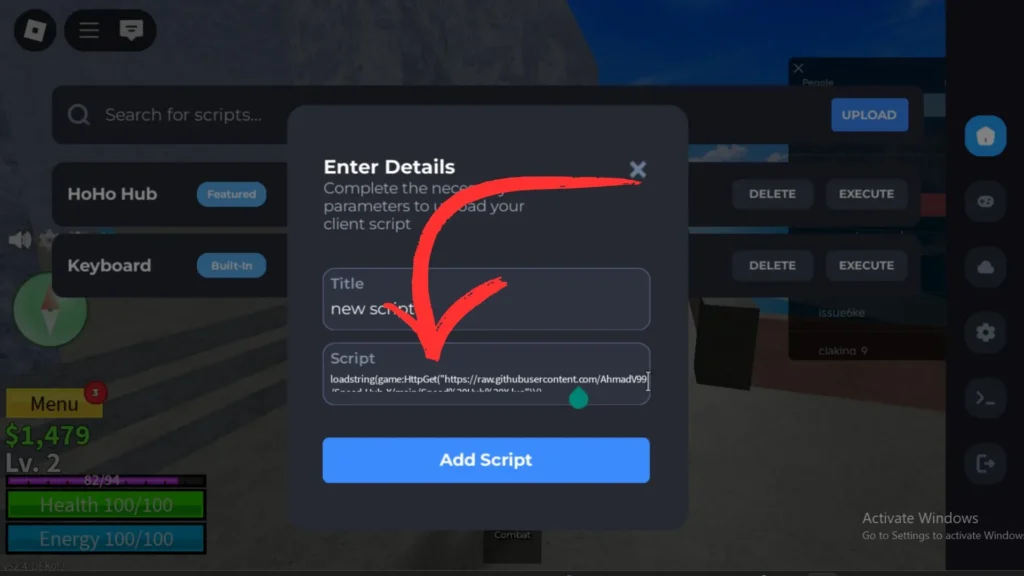
- Tap the Delta icon, then open the script section (the upload/editor tab).
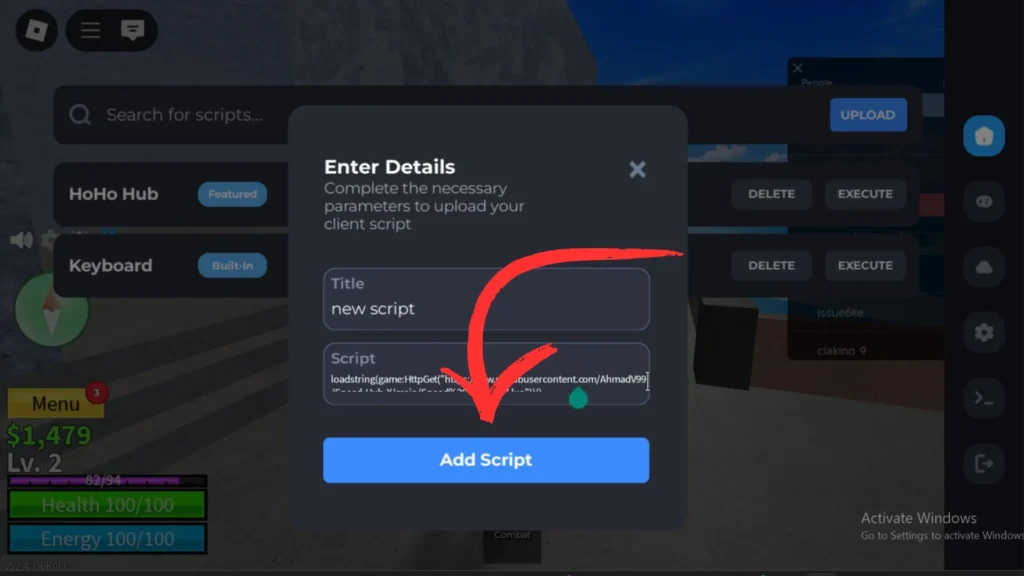
- Paste the script into the script box. Give it a name in the title box if you want to keep it.
- Tap Add Script to save it to your script list.
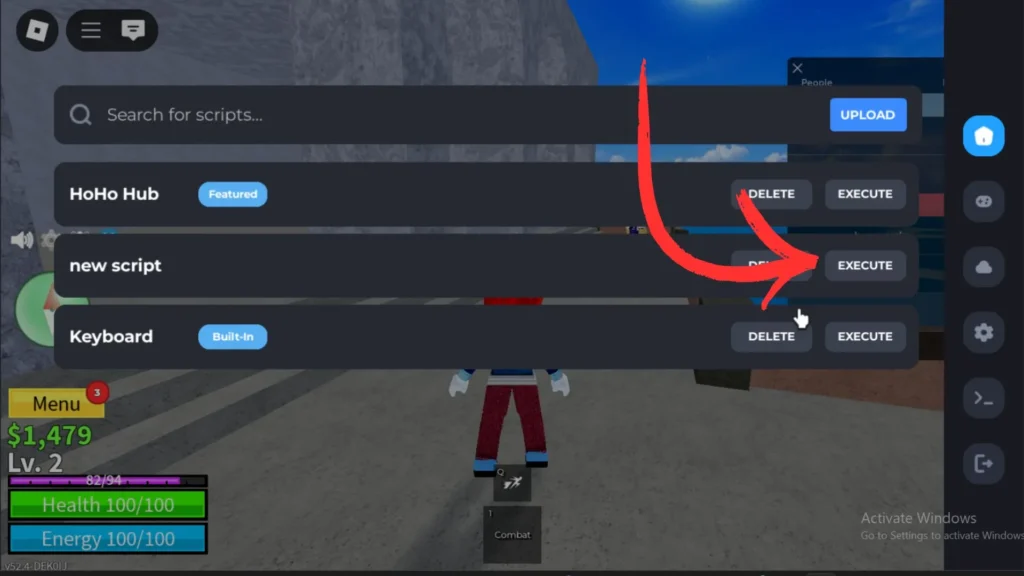
- Tap Execute. The script’s menu or effect appears in the game.
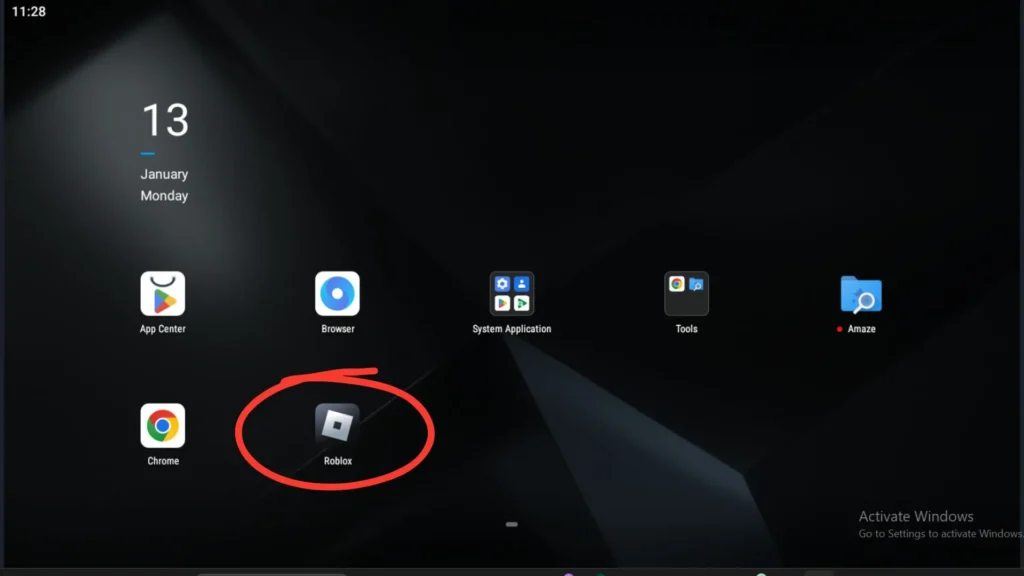
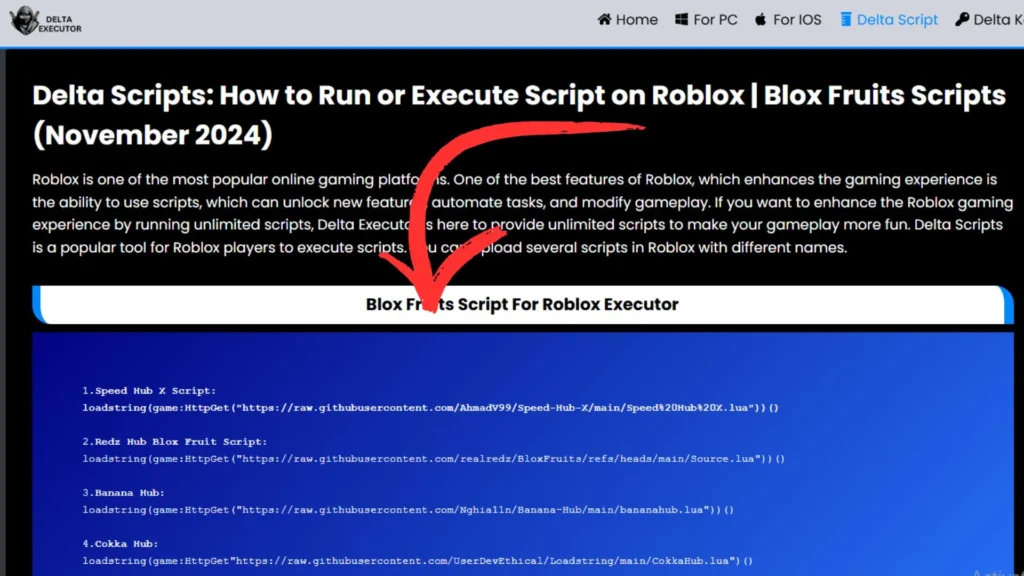
Delta also has a built-in script library and script hub, so for popular games you can often load a known script from inside the app instead of hunting the web for loadstrings. Script loadstrings change often as their developers update them, so when a pasted script does nothing, an outdated loadstring is the usual reason — grab the current one from the hub or the script’s own page.
Which scripts can you run in Blox Fruits?
Blox Fruits is the most scripted game on Roblox, and its scripts focus on the grind: auto-farming levels and bosses, teleporting between islands, fruit notifiers that flag when a fruit spawns, and mastery farming. The hubs players ask for by name — Speed Hub X, Redz Hub, Banana Hub, Cokka Hub and Neva Hub — all come from the old version of this page, and they are still the names the community searches for. Whatever hub you pick, run it through the safety check below first: Blox Fruits scripts are copied around more than any others, and tampered copies circulate with them.
Which scripts can you run in Grow a Garden?
Grow a Garden scripts are about time: auto-planting and auto-harvesting, selling a full inventory in one tap, and alerts for rare seeds or weather events while you are away from the keyboard. Because this game rewards patience, even a simple auto-harvest script changes it completely — and because it is a calm game, it is a good first script to learn the execute flow with.
Fisch scripts: what players run most
In Fisch, scripts usually handle the repetitive parts: auto-casting and auto-reeling, instant catch helpers, and teleports between islands and fishing spots. Players also use them to track down rare fish locations instead of sailing blind. Keep the automation gentle — games with server-side checks notice robotic timing faster than they notice almost anything else.
Which scripts can you run in 99 Nights in the Forest?
Survival scripts for 99 Nights in the Forest focus on staying alive: resource and item ESP so you can see supplies through the dark, auto-collecting, and movement helpers for getting back to camp. In a game built on tension, ESP is the feature most players come for — seeing what is out there before it sees you.
Which scripts can you run in Steal a Brainrot?
Steal a Brainrot scripts are about speed and awareness: instant-steal helpers, ESP that shows who is carrying what, and base-protection alerts. It is a fast, chaotic game, so most scripts here are small utilities rather than big hubs — which also makes them easier to check before you run them.
Blade Ball: scripts for timing and auto-parry
Blade Ball scripts revolve around one moment: the ball coming at you. Auto-parry is the famous one, along with timing indicators and movement helpers. A word of honesty — auto-parry is also one of the most reported and most watched-for scripts in any Roblox game. If any script on this page is likely to draw reports, it is this one.
How to check a script before you run it
A script runs with real power inside your game client, so spend twenty seconds checking before you paste. Red flags:
- It asks for your password or your .ROBLOSECURITY cookie. Never paste that cookie anywhere — it is your logged-in session, and whoever holds it owns your account. No real script needs it.
- It tells you to download an .exe or an extra app first. Real scripts are text you paste into Delta. A download step means something else is being installed.
- It comes from a random comment or a brand-new account with no history. Prefer the built-in script hub and names the community has used for a while.
- The code is one giant unreadable block that loads further code from odd links. Well-known hubs are open about their loadstring source; copies that hide it deserve suspicion.
- It promises impossible things — free Robux above all. There is no script that generates Robux. Every one of those is a scam aimed at your account.
And the habit that protects you most: test new scripts on an alternate account first. Scripting breaks Roblox’s Terms of Service and accounts do get banned — the disclaimer covers this plainly. Back on the homepage you will find the downloads and guides for every platform.
Frequently asked questions
This is an unofficial guide site. Delta Executor is made by the Delta Team; we are not affiliated with the Delta Team or with Roblox Corporation. Last updated: November 21, 2026.